
94Talent: AI Copilot That Cures the Interview Blur

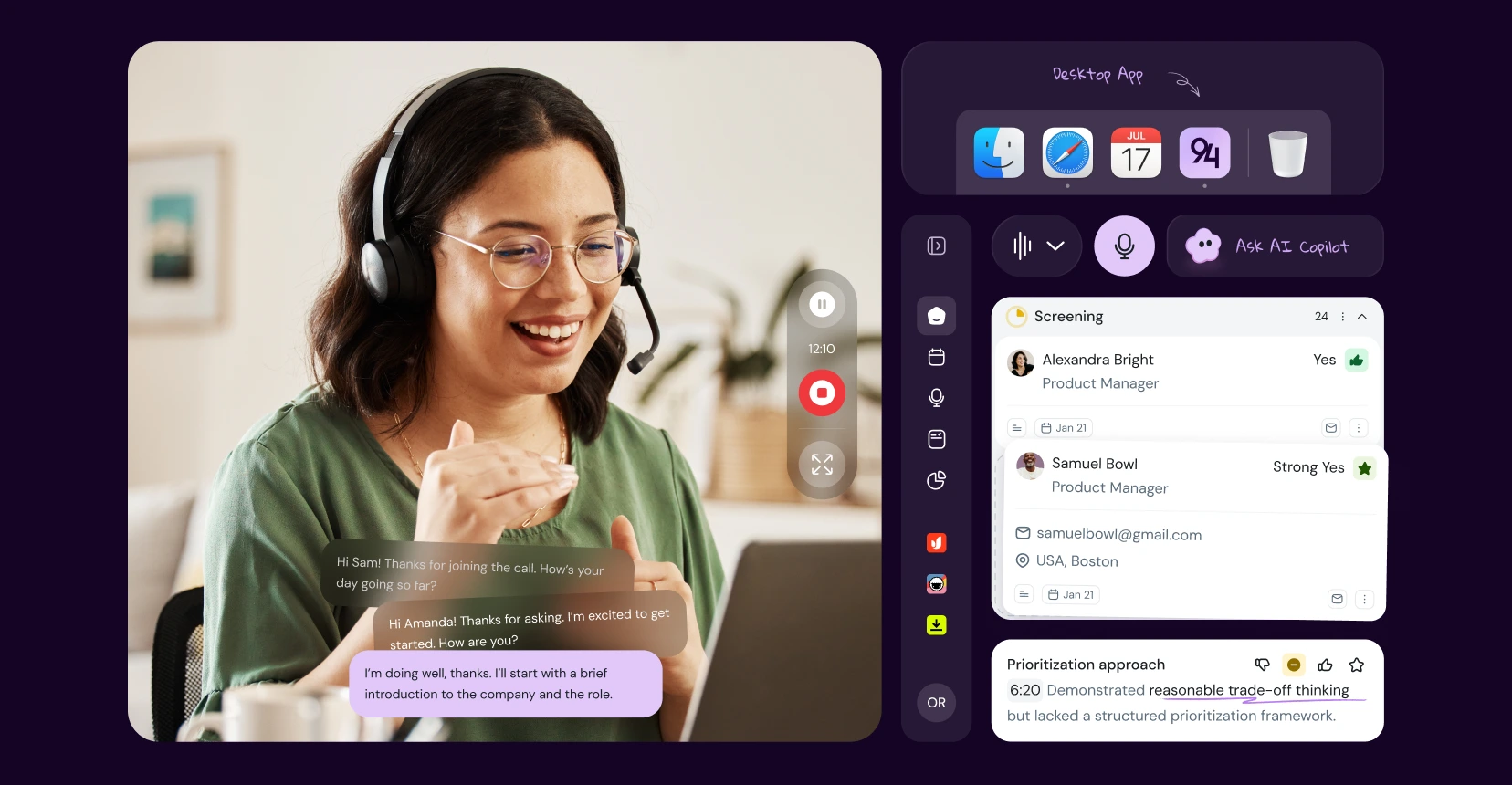
Typing frantically while a candidate talks ruins the interview. In this SaaS product design case study, we partnered with 94Talent to build a tool that stops recruiters from acting like stenographers. By using AI UX/UI design to capture transcripts and map them to scorecards in real time, we delivered a desktop app development solution that lets hiring teams focus on the person, not the notepad.

Product Design
Desktop App
AI
SaaS
UX Research
94Talent: AI Copilot That Cures the Interview Blur

94Talent is an AI-powered desktop application built to fix how hiring decisions are made. The founder approached us with a raw concept: eliminate the “Friday afternoon blur” that happens when a recruiter interviews five people in a row and their messy notes become useless.

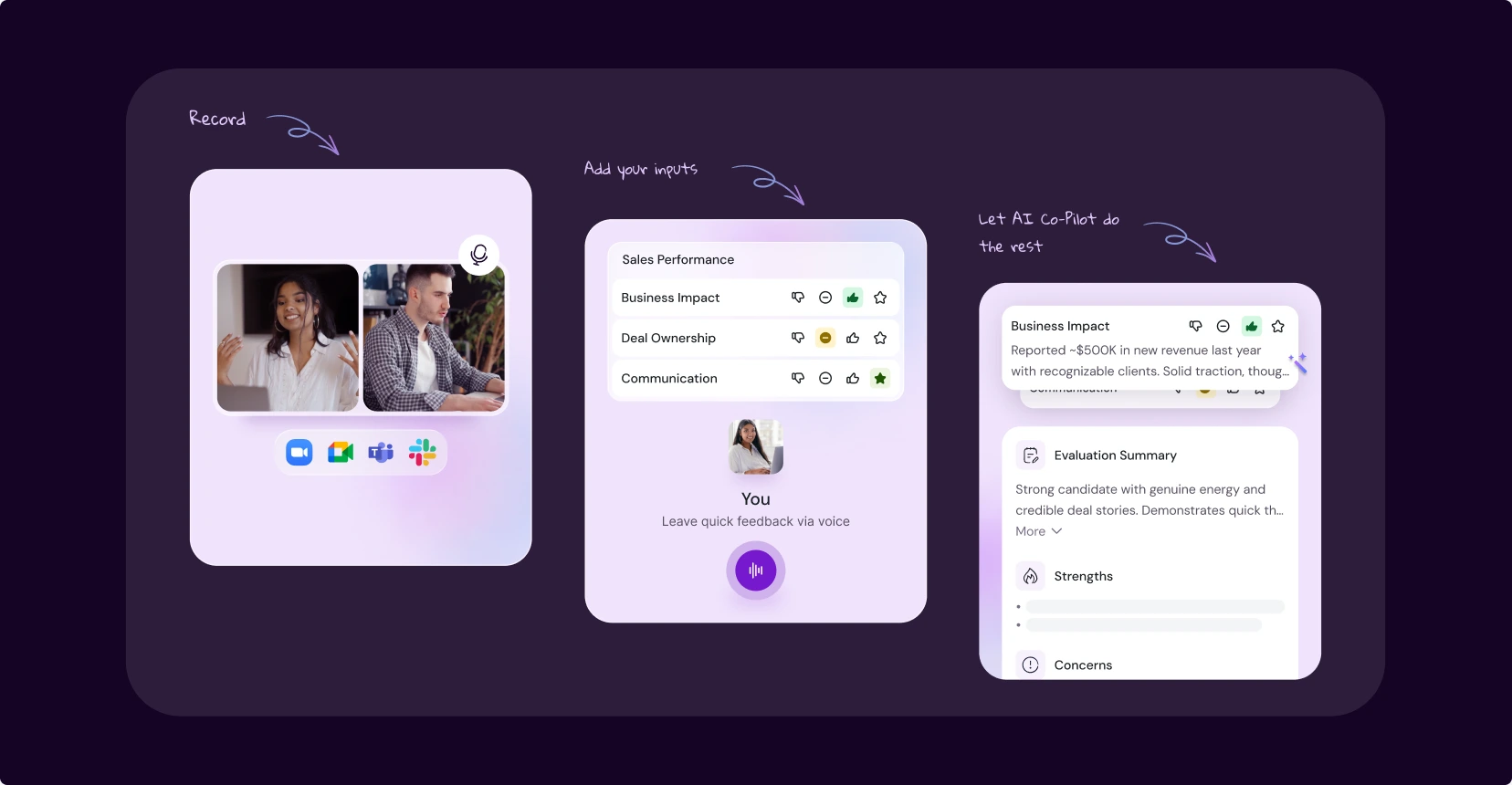
Our task in this SaaS product design collaboration was to turn that concept into a structured tool for talent agencies. We designed an AI UX/UI design solution — a digital co-pilot named “Bar” that sits quietly alongside a live video call. Instead of forcing recruiters to frantically type everything, Bar handles the transcription. The desktop app development allows the human expert to score a competency with a click, while the AI fetches the exact quote from the transcript as proof.

Client
94Talent
Product
Candidate Evaluation Copilot
Industry
Recruiting, SaaS, AI
Services
Workshops & Research, Product Design, Website Design
Region
Global
women
phone

Problem: The "stenographer" liability

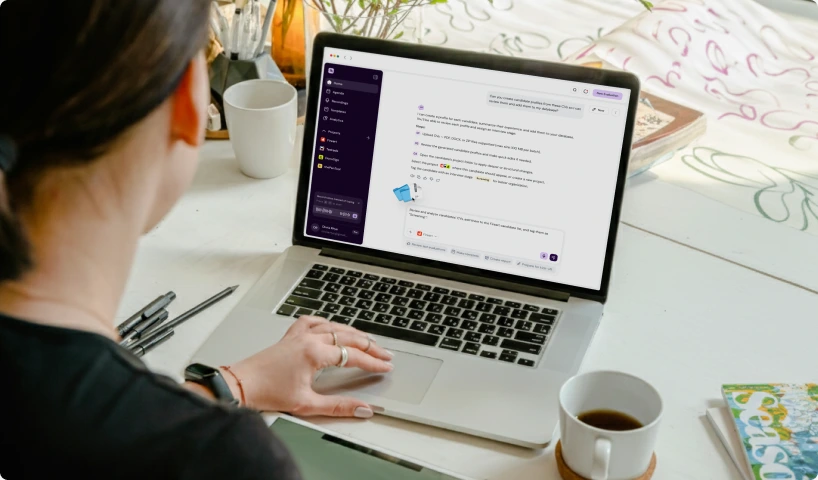
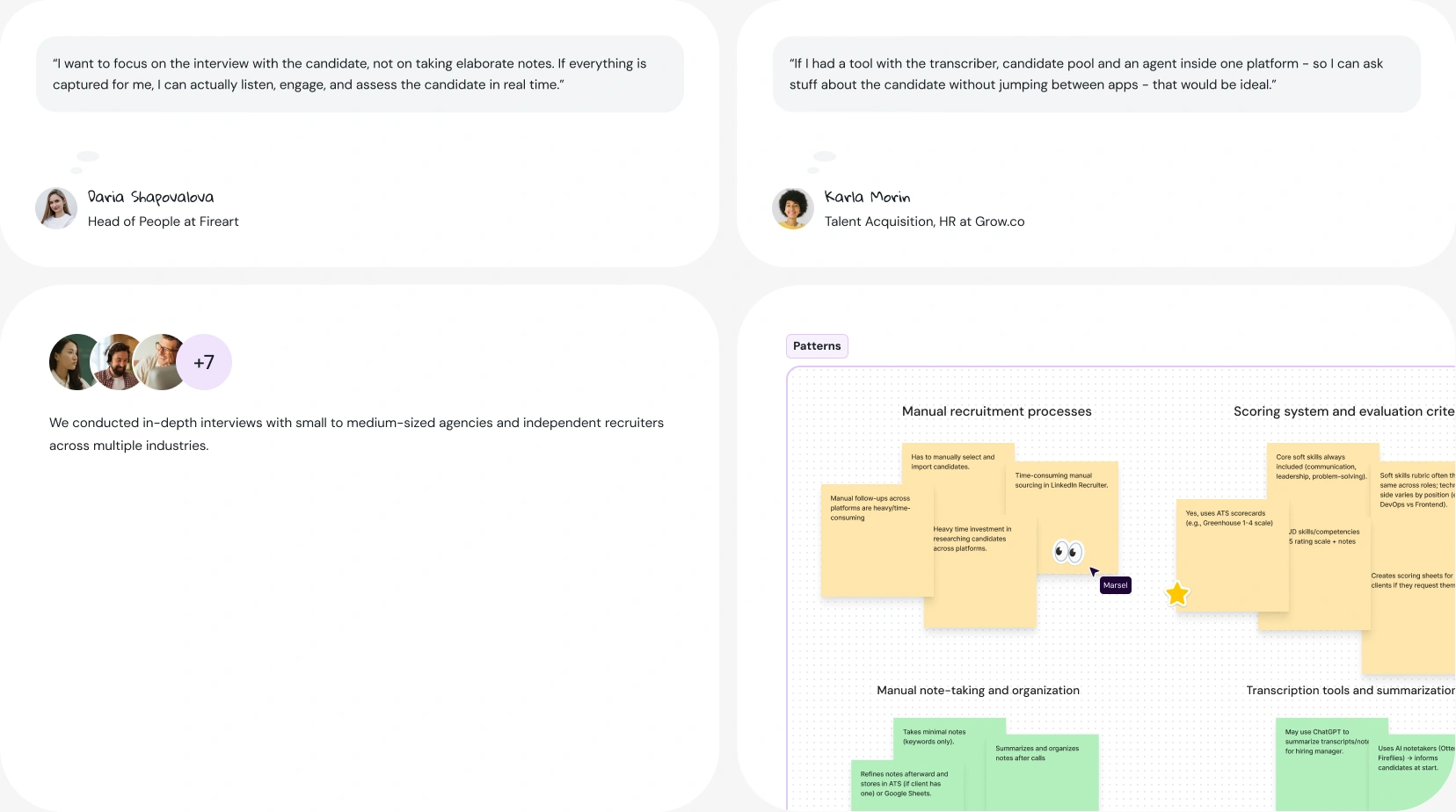
A great interview is ruined if the recruiter stares at a second monitor. We interviewed ten independent recruiters and talent acquisition leaders to understand their reality. What we found was a human bandwidth issue.

If everything is captured for me, I can actually listen, engage, and assess the candidate in real time

94talent-interview-laptop
Current systems rely on frantic typing and messy Google Docs. By the time a hiring decision is made on Friday, recruiters are reconstructing conversations from memory, which invites massive bias.
hero visual

Challenges

The blank notepad trap
Most recruiters use a blank digital notepad as a safety blanket. But free text is unstructured, resulting in messy notes. Our SaaS product design had to force structured thinking without causing friction.

The AI trust deficit
If an AI spits out some text labeling a candidate as “Strongly Recommended,” users won’t trust it. B2B professionals don’t want a machine doing their job. Our AI UX/UI design challenge was to make the machine act as an assistant, never the boss.

The eye contact dilemma
Our tool had to run during live video interviews. The desktop app development challenge was to design a UI that works during a live call without pulling recruiter’s focus.
Project Goals:

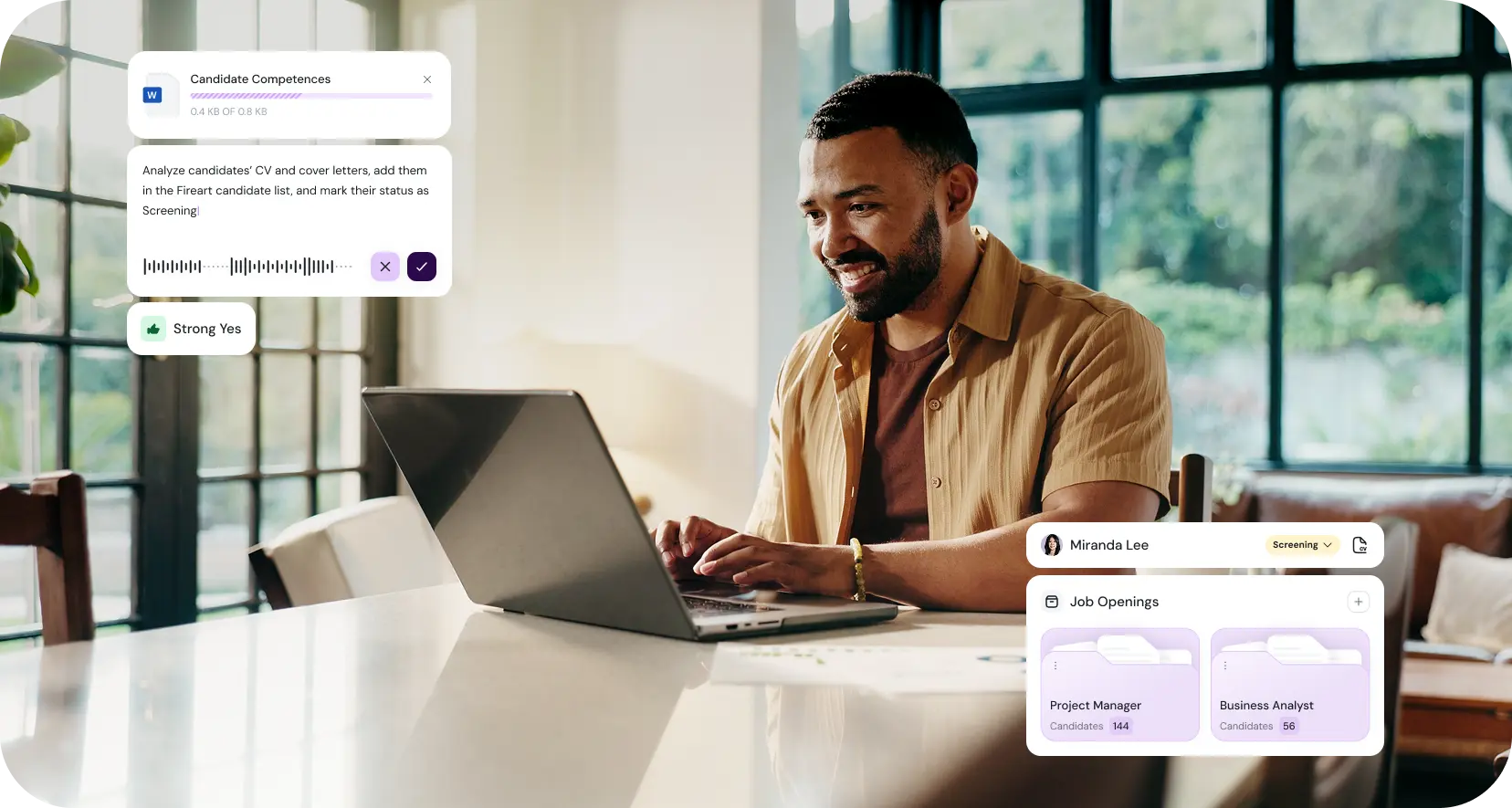
Our goal was to design an AI copilot that feels invisible but produces evidence.

Kill the context switching
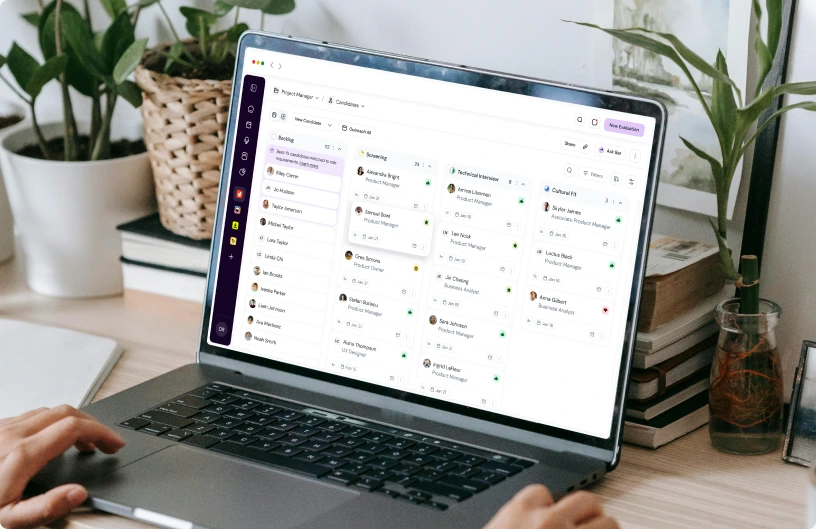
We aimed to build a SaaS product design that brings transcripts, scorecards, and the candidate pool into one place so recruiters don’t have to jump between tools during a live call.

Automate the receipts
The main goal was to create an evaluation process where a recruiter gives a score, and the AI UX/UI design fetches the exact quote to back it up, ending “he said, she said” arguments.

Keep the human in charge
We wanted to build a co-pilot, not an autopilot. We set out to design editing tools that force the recruiter to review, polish, and own the AI’s drafted summary.

Our Approach

Our philosophy for 94Talent was simple: The AI is the co-pilot; the human is the pilot. Professional recruiters reject “black box” automation. Our entire SaaS product design approach was centered on keeping the human expert in the driver’s seat.
We designed the AI UX/UI design so the machine acts as a very fast, very diligent junior assistant in charge of fetching transcripts, organizing files, and drafting summaries.
But it requires the human to provide the input, make the edits, and own the final score. The goal of this desktop app development was to ease the administrative chores so the recruiter could actually focus on the person sitting across from them.
Candidate

The architecture of a fairer hiring process

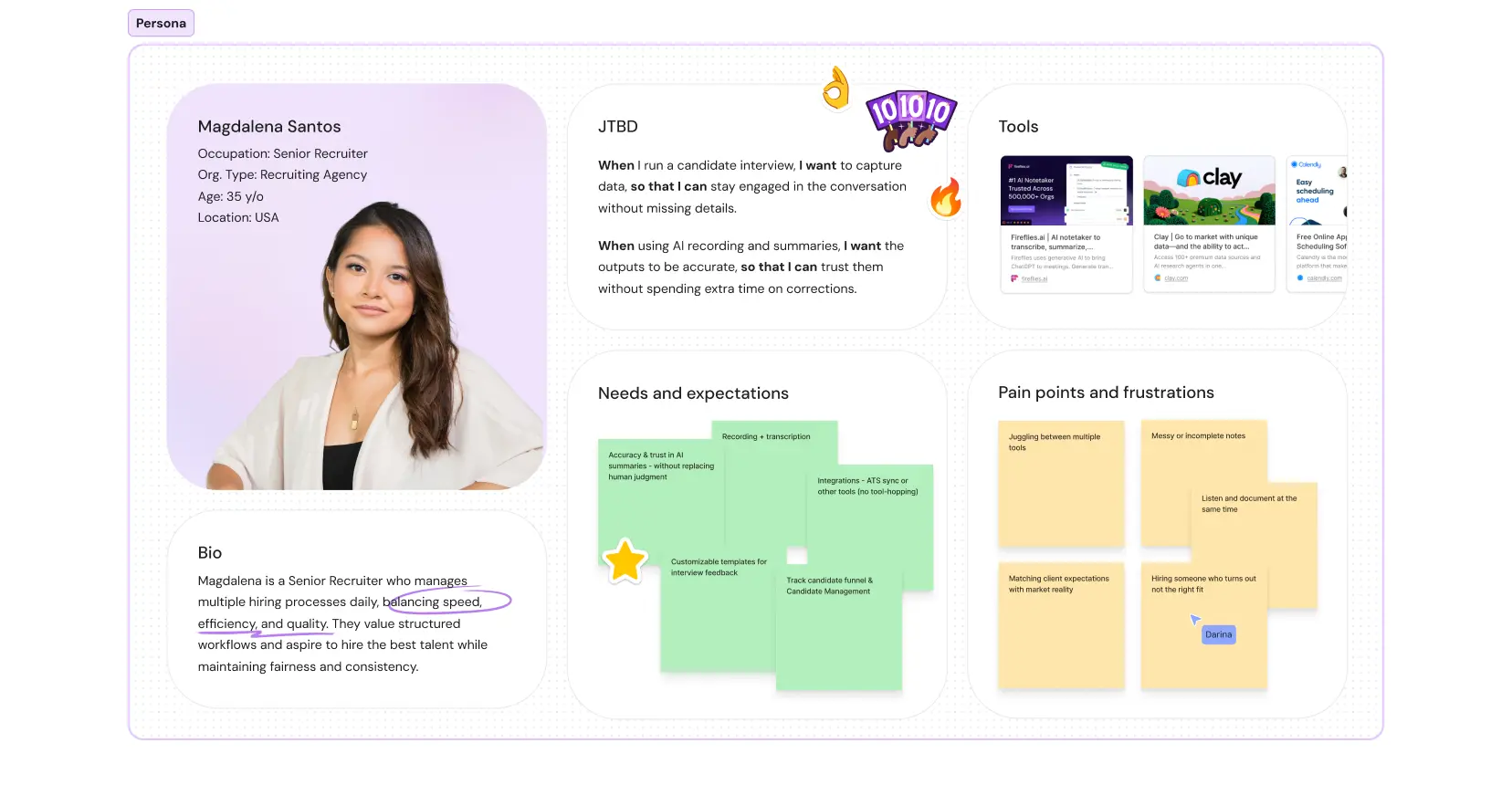
Turning our philosophy into a working product required research and testing. We started by mapping the recruiter user flow, from reviewing resumes to the final hiring alignment meeting. We then built interactive prototypes to test our assumptions, which quickly proved that a wall of AI-generated text wasn’t helpful.

94talent-research-board
Recruiters needed structured evidence, not just smarter notes. This realization drove the specific SaaS product design features we built.
94talent-workflow

Step 1: Killing the blank notepad

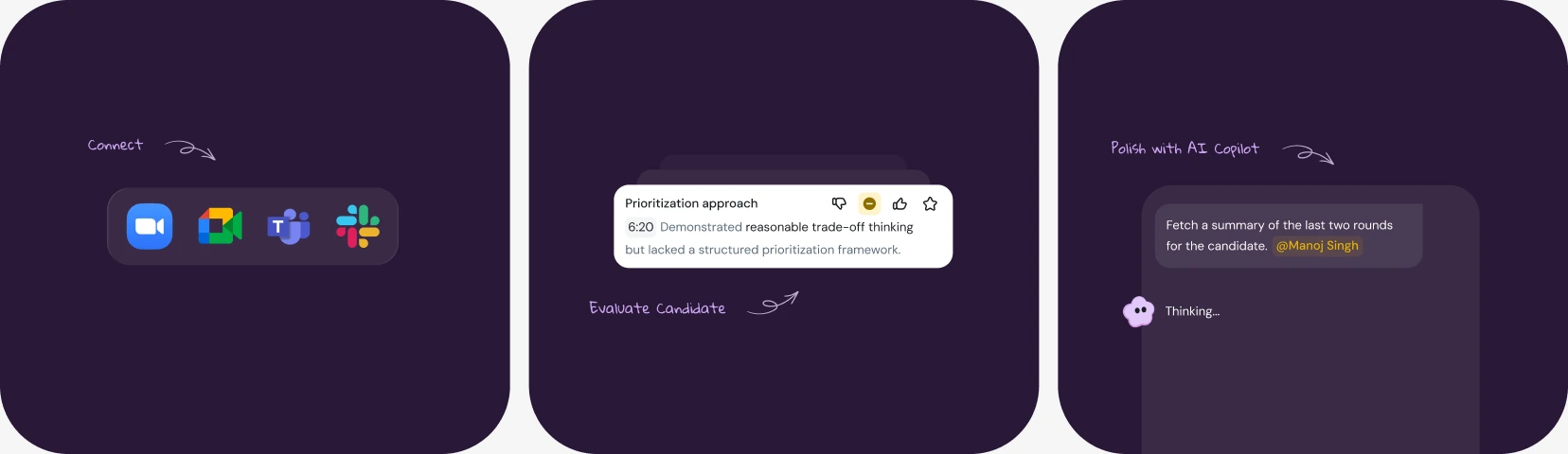
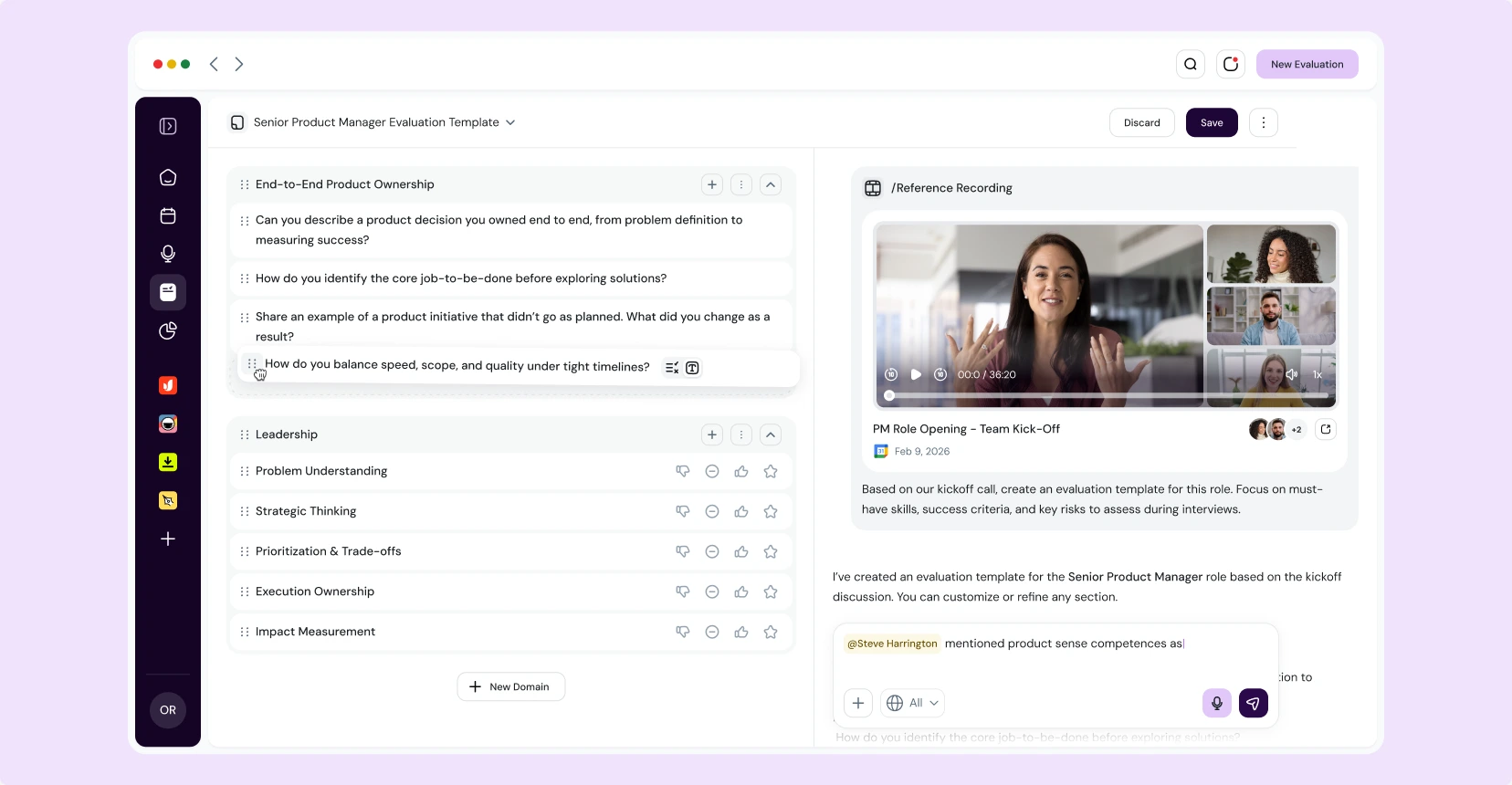
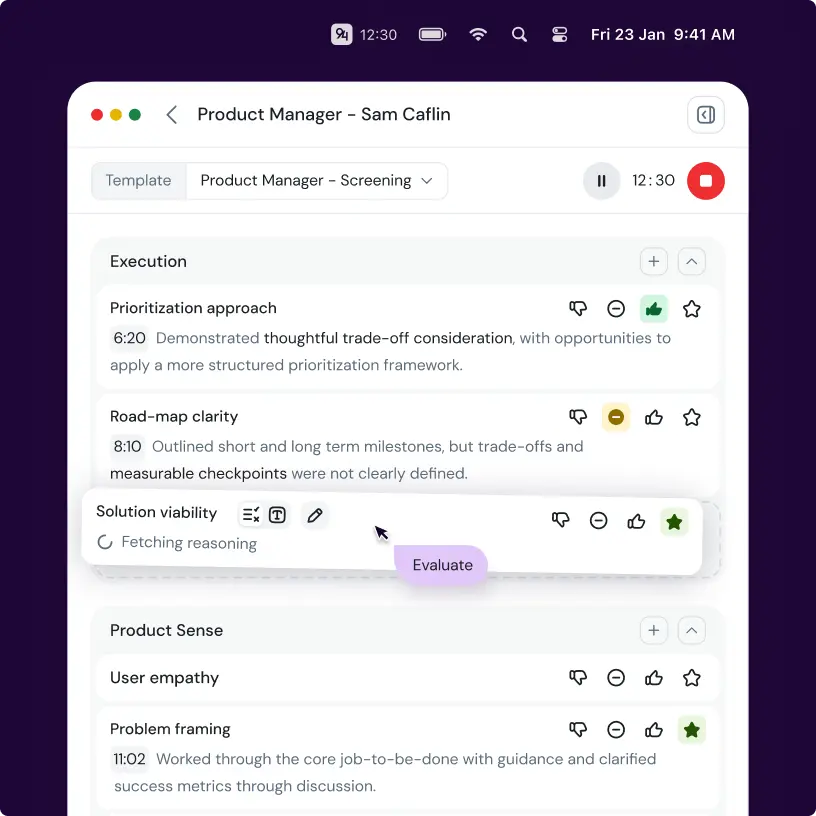
We designed “Scorecard Autofill” templates. Now, the recruiter makes a short one or two-word note, for example – “strong leader” – and the AI UX/UI design solution populates this competency block with the specific proofs based on the transcript, ensuring every candidate is measured against the exact same criteria without the recruiter writing a single word.

94Talent scorecard autofill with transcript evidence and competency ratings

We don’t let the AI ‘overthink.’ The primary source of truth has to be the recruiter. You give minimal input first, and the AI adds the exact context from the transcript. We did this to prevent hallucinations so the recruiter never has to waste time fixing the machine’s mistakes.

Step 2: Designing for eye contact

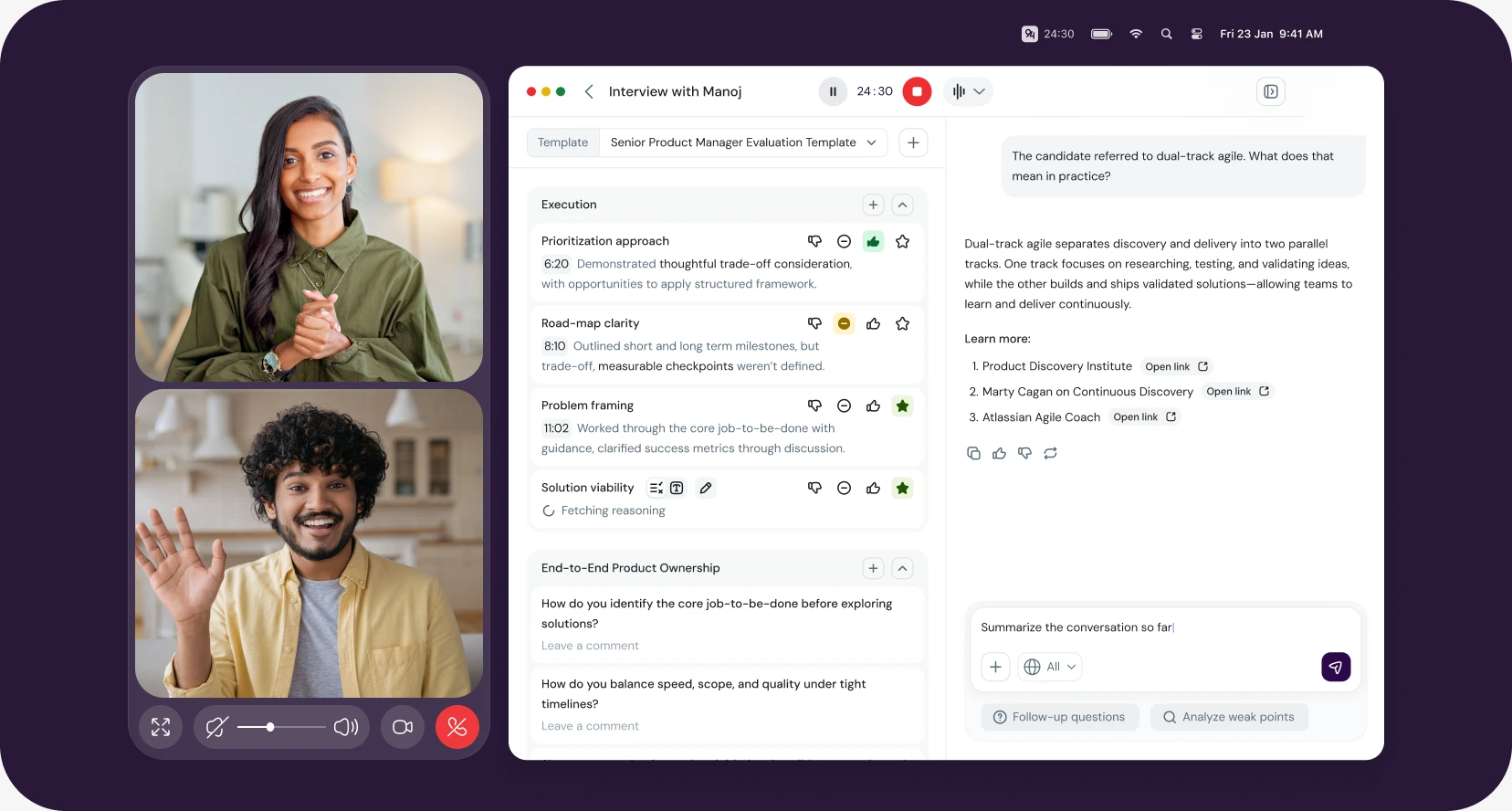
The challenge of this desktop app development was building an interface for live video calls. If the tool demands too much attention, the recruiter stops making eye contact.

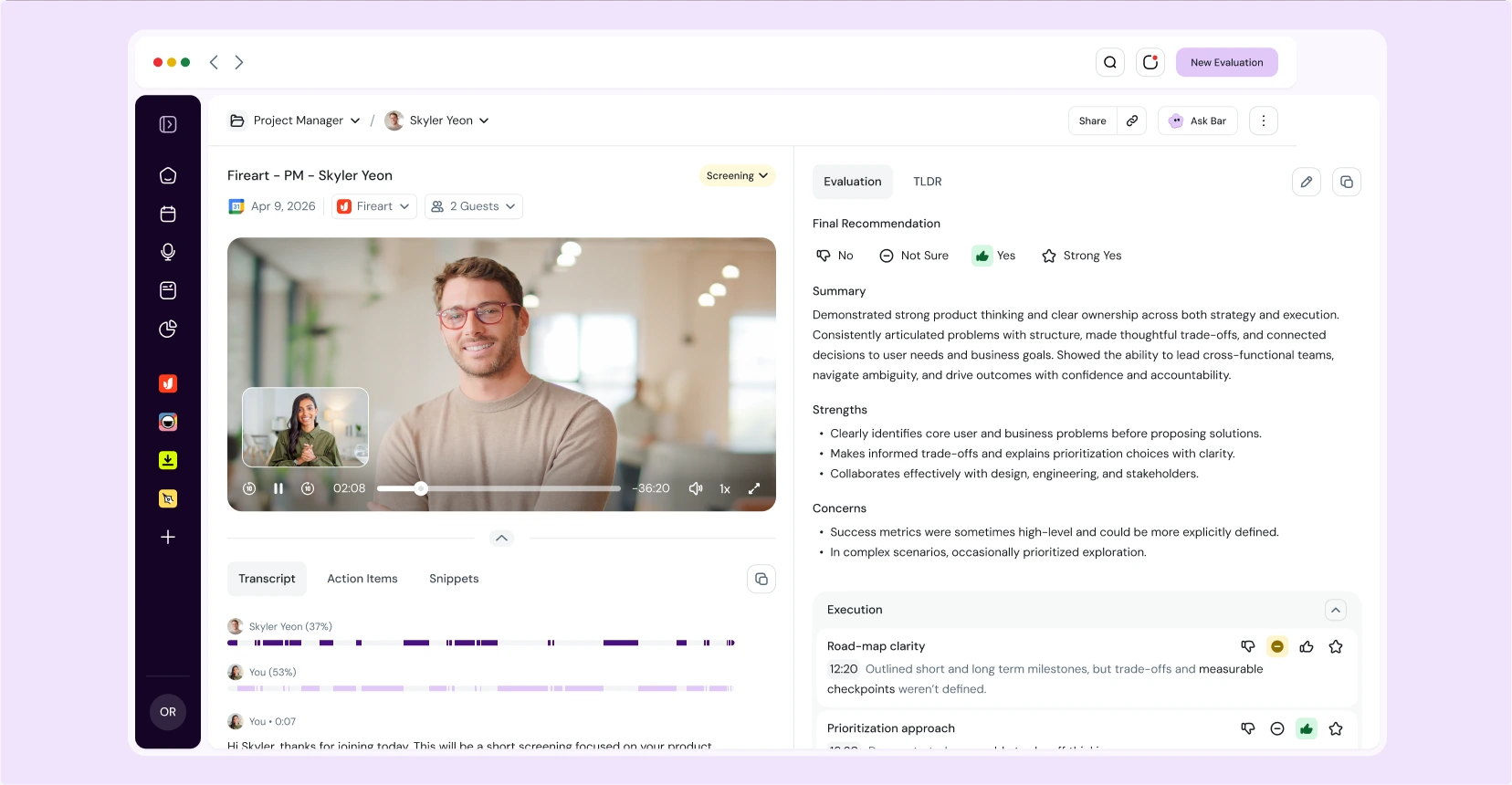
We designed the “Active Interview” side panel to be quiet and compact, sitting neatly next to Zoom or Google Meet. Instead of typing, the recruiter just clicks a simple “thumbs up” or “thumbs down” next to a competency.

94talent-eye-contact

Most recruiters don’t want to read or write during a call. They like to observe the candidate, their tone and behavior. We designed the tool so that any part of it can be hidden or minimized, quietly recording in the background without pulling focus.

Step 3: Engineering for AI skepticism

We knew B2B professionals wouldn’t blindly trust a machine’s summary, so we designed friction into the interface to demand human review. When the AI assistant generates a candidate’s strengths and weaknesses, it creates an editable text block in a purple color, signaling it’s an AI draft.

An inline “Ask Bar” toolbar right above the text invites the user to adjust the tone or format a list.

Before an evaluation becomes final, you work with the AI through a chat interface. If it makes a wrong conclusion, you just write, ‘I don’t like this part, let’s redo it.’ The AI polishes the text, but the recruiter always has the final say.

94talent-ai-review

Step 4: The video snippets proof

The “killer feature” during prototype testing was the snippet generation. During an interview, if a candidate gives a two-minute explanation of how they handle tight deadlines, the recruiter can highlight that text in the transcript and click “Create Snippet.”

The tool cuts that piece of video and audio into a shareable link. This eliminates the “he said, she said” arguments during meetings; recruiters can just send the hiring manager the 30-second clip.

94talent-video-snippets
Ready to turn your AI vision into a market-ready product?

Let’s talk about your roadmap.

94talent-candidate-overview

Results: Hiring based on facts, not memory

Our SaaS product design done in partnership with the founder of 94Talent produced a market-ready MVP of SaaS product design that turns subjective opinions into defensible data.

Reduced administrative time

Post-interview wrap-ups dropped from an hour of manual work to ten minutes of reviewing AI drafts.

Faster alignment meetings

Hiring teams report that their final decision meetings are faster and significantly less argumentative. Structured dashboards tied to actual video snippets provide proof and eliminate hearsay.

A scalable foundation delivered

We provided a complete UI component library alongside documentation for engineering handoff. This desktop app development ensures that the internal team can efficiently build new features and scale the platform’s capabilities over time.

The founder was involved to the maximum. We essentially built it together. We had calls every single day, looking at the product, discussing edge cases, and adapting the designs in real-time.

Ready for Life-Changing Design?
Let's see how our team can fast-track your business goals.